
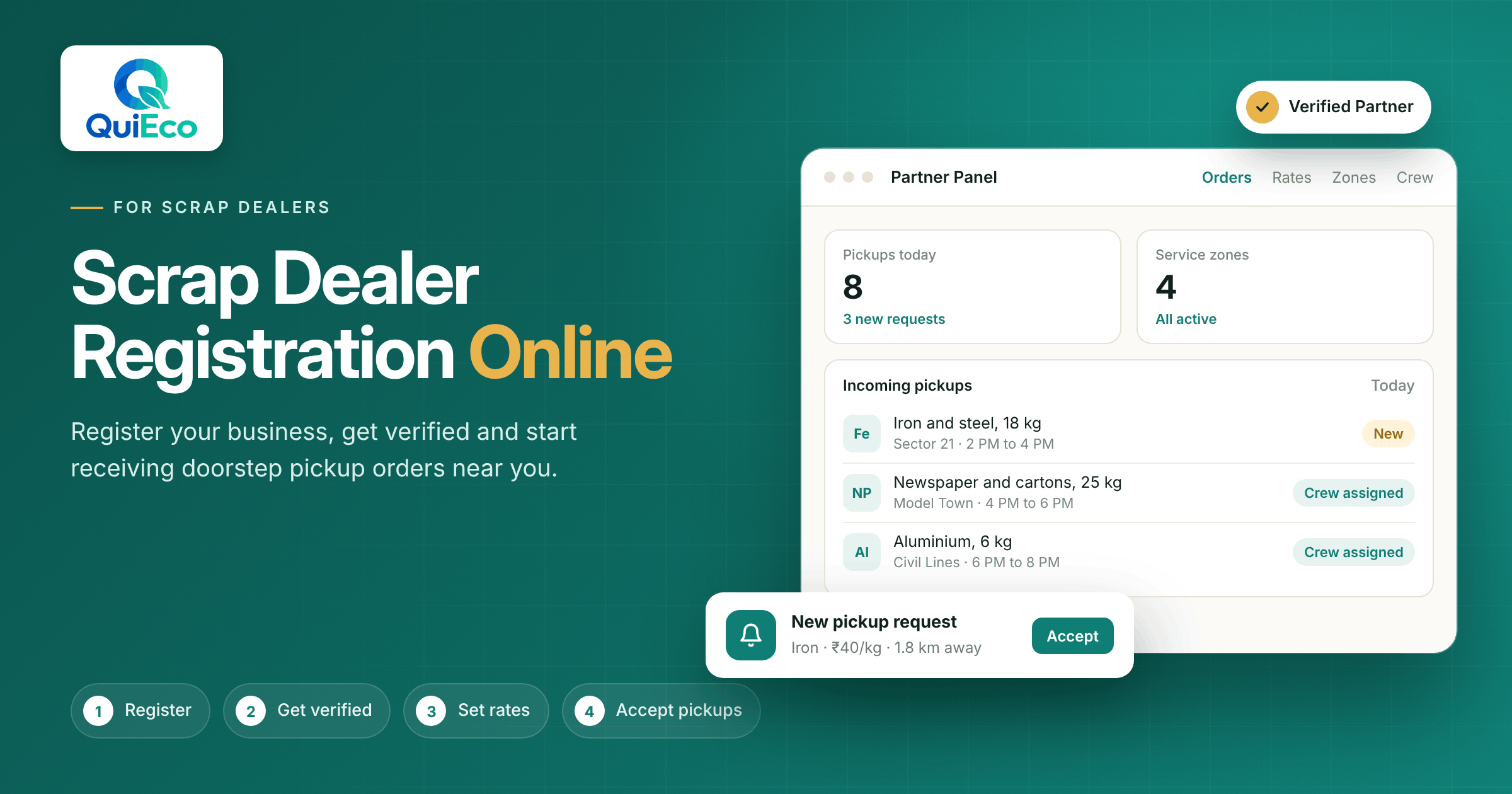
In Indian cities, scrap is never in a limited supply. Old newspapers stack up in living rooms, cartons accumulate on balconies and broken metal rests in storerooms for months. What has changed is the way people look for a buyer. Today most of them reach for their phone first and the business they find there is the one they call.
Households now want to sell scrap online as easily as they order their groceries. They want to see rates per kg, a fixed pickup time and a crew weighing everything in front of them. Dealers who can provide this kind of certainty will soon stand out, while those who rely only on street rounds and word of mouth will often miss new customers.
That’s what this guide is for. Here is a simple step-by-step explanation of scrap dealer registration online on QuiEco: from preparing your details and getting verified to setting rates, choosing service zones and accepting your first order through the Partner Panel.
If you run a small shop or a busy godown, here is how you can join as a scrap dealer and grow your reach.
Why Scrap Dealers Are Moving Online
The way people sell scrap has changed faster in the last few years than in the decades before it. A customer with a balcony full of cartons no longer wants to make five phone calls to find a buyer. They open an app, see who is nearby, check the rates and book a time. The dealer they pick is the one who is visible, trusted and easy to book.
For dealers, being online solves problems that have always slowed the business down:
- Uneven demand. Walk-in customers and street rounds bring work on some days and nothing on others. Online bookings give you a steadier flow of pickup requests from your chosen areas.
- Wasted trips. When a booking already tells you the materials, the address and the time slot, your crew can plan routes and fill the vehicle properly.
- Haggling at the door. Your rates are shown before the customer books, so both sides agree on the price per kg before the crew arrives.
- Trust with new customers. A verified profile with ratings tells a first-time customer that you are a genuine business, not a stranger at the gate.
- Record keeping. Orders, weights and payments are saved digitally, which makes it easier to track sales and spot your busiest areas.
In short, completing your scrap business registration on a platform like QuiEco puts your shop in front of customers who are already looking to sell. You keep running your business your way. The platform simply brings the demand to you.
Who Can Register as a Scrap Dealer Partner?
QuiEco is built for scrap businesses of every size. You do not need a large warehouse or a fleet of trucks to join as a scrap dealer. If you buy scrap from households or businesses and can send a team to collect it, scrap dealer partner registration is open to you. This includes:
- Local scrap dealers who already buy paper, metal and plastic from nearby homes
- Scrap shops and godowns that want more pickup orders from surrounding areas
- Dealers who run their own crew and vehicles and want to keep them busy through the week
- Growing businesses that want to expand into new localities without opening a new shop
QuiEco serves customers across India, so scrap dealer registration online is open to you no matter which city or town you work in. What matters most is that you can reliably reach the areas you choose to serve and treat every customer fairly at the door.
What to Keep Ready Before You Register
A little preparation makes scrap dealer registration online quick and smooth. Before you open the signup page, keep these details handy:
- Business details. Your business or shop name, address and a working mobile number that you check regularly.
- Identity and business documents. The identity and business documents requested on the signup page. Keep clear photos or scans ready so you can upload them in one go.
- Materials you buy. A clear list of what you accept, such as newspaper, cardboard, books, iron, steel, aluminium, copper, brass and plastic.
- Your current buying rates. Your per kg rate for each material. Having these written down saves time when you set up your rate card.
- Service areas. The localities or pin codes your team can reach without long, costly trips.
- Crew and vehicle details. The names and phone numbers of the people who will visit customers, and the vehicles they will use.
With this ready, most of the work in the steps below becomes a matter of filling in what you already know about your own business.
Step 1: Complete Your Scrap Business Registration
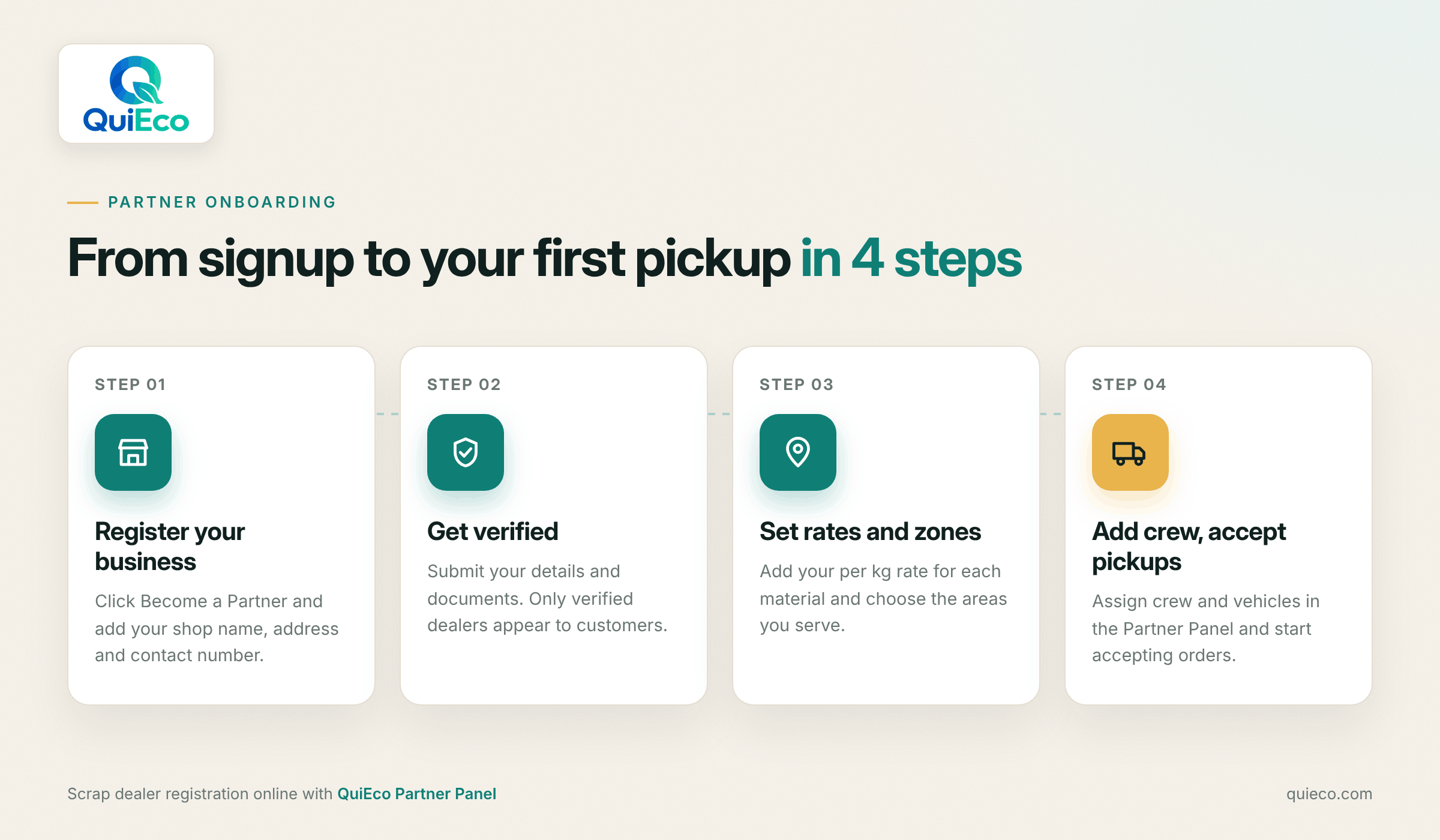
The first step of scrap dealer registration online is to create your partner account. Go to the QuiEco website and click Become a Partner, or open the partner signup page directly. Enter your business name, contact details and address, and set up your login.
Take a moment to check every detail before you submit your scrap dealer partner registration. Your business name and phone number are what customers and the QuiEco team will use to identify you, so spelling mistakes or an old number can slow things down later.
Once your account is created, you can sign in to the Partner Panel at any time through Partner Login. This is where you will manage everything from rates to crew assignments.
Step 2: Get Verified
Verification is what separates QuiEco from a random phone number on a wall. Only verified dealers appear in the QuiEco app, so customers always know that the business visiting their home has been checked before joining.
After you complete scrap dealer registration online, submit the details and documents requested in the Partner Panel. The QuiEco team reviews them and confirms your profile. Once approved, you can move on to setting up your rates and service zones.
This step may feel like paperwork, but it works in your favour. A verified badge tells a first-time customer that you are a real, accountable business. That trust is often the reason a customer picks your profile over one they have never heard of. You can read more about how the process works on the For Dealers page.
Step 3: Set Your Rates and Service Zones in the Partner Panel
Once you are verified, it is time to set up the two things customers look at first: your rates and your reach.
Your rate card. On QuiEco, every dealer sets their own buying rates. QuiEco does not fix prices for you. Add a per kg rate for each material you accept. Customers see your rates next to your distance and rating before they book, so a clear and fair rate card is one of your strongest selling points.
A few tips for setting rates:
- Keep rates realistic for your local market so you can honour them at the door
- Update them when market prices move, instead of changing the price after weighing
- List only the materials you actually buy, so customers are never disappointed
Your service zones. Choose the areas where you want to receive pickup requests. Start with the localities your crew already covers well. It is better to serve a smaller zone on time than a large zone with late or missed pickups. You can expand your zones later as your team and orders grow.
Getting these settings right is the foundation for every order you will receive, so take your time with this step.
Step 4: Add Your Crew and Vehicles, Then Start Accepting Pickups
Your crew is the face of your business. They visit customer homes, weigh the scrap in front of the customer and complete the payment. In the Partner Panel, add each crew member and the vehicles you use, so you can assign the right team to every order.
Brief your crew before the first pickup:
- Carry a working digital weighing scale and use it in front of the customer
- Arrive within the booked time slot, or call ahead if you are running late
- Confirm the final weight with the customer before payment
- Be ready to pay by cash or UPI, as the customer prefers
With rates, zones and crew in place, your profile is live and you are ready to get scrap pickup orders online from customers in your area. See it from the customer’s side. Download the QuiEco app on Android to check how your profile, rates and rating appear to people near you.
What Happens After You Go Live
Once your profile is active, here is how a typical order flows from booking to payment:
- The customer compares dealers. They select their materials in the QuiEco app and see verified dealers nearby, with distance, rating and rates side by side.
- They book a pickup slot. If they choose you, the request reaches your Partner Panel with the address, materials and preferred time.
- You accept and assign. Accept the order and assign a crew member and vehicle.
- The customer tracks the pickup. They can follow each stage in the app, from your acceptance to the crew’s arrival.
- The crew weighs and pays. Your crew weighs the scrap at the door, the customer confirms the final weight, and payment is made by cash or UPI.
- The customer rates the pickup. A good experience earns you a strong rating, which helps you win the next booking.
Every completed order is recorded in your dashboard, so you can track your orders and sales without maintaining a separate register.
Tips to Get More Scrap Pickup Orders Online in Your First Month
Completing scrap dealer registration online opens the door. What you do in the first few weeks decides how many customers walk through it. These habits help new partners build momentum quickly:
- Respond fast. Accept or act on new requests quickly. Customers who wait too long for confirmation often book someone else.
- Be on time, every time. Punctual pickups are the single biggest reason customers rate a dealer highly and book again.
- Keep weighing transparent. Weigh in front of the customer and show them the reading. Honest weighing builds trust faster than any discount.
- Keep your rate card fresh. Review your rates regularly so customers see accurate prices and your crew never has to renegotiate.
- Start with a focused zone. Win your nearest localities first, then expand once your crew can handle more orders.
- Ask for ratings. After a smooth pickup, your crew can politely remind the customer to rate the service in the app.
- Tell your existing customers. Let regular sellers know they can now book you through QuiEco. They get convenience, and you get repeat orders through the platform.
Dealers who follow these basics usually find that one good review leads to the next booking, and steady bookings lead to fuller vehicles and better planned days.
Common Mistakes New Partners Should Avoid
Most early problems come from a few avoidable slips. Watch out for these:
- Incomplete profile details. Missing documents or an unreachable phone number can slow down your scrap dealer registration online and delay verification. Fill everything in properly the first time.
- Rates you cannot honour. Setting a high rate to attract bookings and then lowering it at the door quickly damages your rating.
- A service zone that is too wide. Accepting orders far from your base leads to late arrivals and fuel costs that eat into your margin.
- Untrained crew. A crew member who argues over weight or payment can undo the trust your profile has built.
- Ignoring the dashboard. Check your Partner Panel daily so no request is left waiting.
Avoiding these mistakes keeps your rating healthy, and a healthy rating is what keeps the orders coming.
Start Getting Pickup Orders Today
Customers in your area are already looking for a trusted dealer to buy their scrap. The only question is whether they find you or someone else. Scrap dealer registration online on QuiEco takes you from a shop that waits for customers to a business that customers can find, compare and book in a few taps.
Register your business, get verified, set your rates and zones, brief your crew, and you are ready to get scrap pickup orders online from people near you. Every on-time pickup and honest weighing adds to your rating, and every good rating brings the next order a little closer.